

Where are you going?
Check-in
Check-out
Guests
1 Adult, 0 Children

House Manual
House Manual - High Street
Getting Here
Address
Flat 15, 72 High Street, E15 2QB.
Directions
Closest bus stop is Marshgate Lane - 2 min walking
Closest Underground is Pudding Mill Lane DLR Station Pudding Mill Station
Closest light rail station is Stratford High Street: 13 min walking
Stratford High Street: 13 min walking
Stratford train/tube station is Stratford: 15min walking
Also you can download an app called City Mapper. This is a great app for getting around London, It tells you the quickest routes and costs of those routes. Bus, tube, taxi and walking
Map : Property Location Map

Check in instructions
Check-in time is anytime after 3:00 PM before 9PM.
Occasionally we accommodate checking in at other times, if you contact us but this is not guaranteed.
Guest Lockbox:
For easing out the access we have installed Lock box (3rd Floor, Flat 15 , Image attached) on the property inside the building . Code will be provided once you arrived at the property.
However to enter into the main building first time you need to press 15 on the door panel we will give you the access. Once you enter into the building , go to 3rd Floor ,Flat 15 and take the keys from Lock box. There are 2 Key Fobs and 1 Key .
- 1 Key Fob to Enter into the main building
- 2nd Fob to enter into the parking by
- Key is to enter into the Flat 15
You start using the Key fob to enter the main building from next time.
Please let us know your tentative time so that we will know you are the person asking for the entry.
Lockbox on Flat 15.


Main Entrance & Fob to open 

Checkout Instructions:
1. Key should be put back into the Lockbox on Flat 15 and jumble the numbers
2. Rubbish needs to be placed in to Rubbish room which located beside entrance door. Please use the same fob to open the rubbish room. Pic has provided on this manual as rubbish room.
3. Please switch off lights fans and close the French door on the property.
Cleaners Lockbox
There is a lockbox containing your house key.
Please see pictures below.
Lockbox coordinates: 51.533036, -0.008749
Lock box pin will be provided on the Message

Lock Box Road View

Lock Box Images


Entrance
Fob to Open :
Rubbish Bin Store

3rd Floor :
Use lift to reach 3rd Floor

Wifi Details
Login
TLBFO_Guest
Passwordl
Guest2023
Troubleshooting: if you there are any issues with WiFi, please try to reload the router. (Turn the router off for around 10 seconds and turn it on again).
The router is located in the utility room in a corridor
Switches
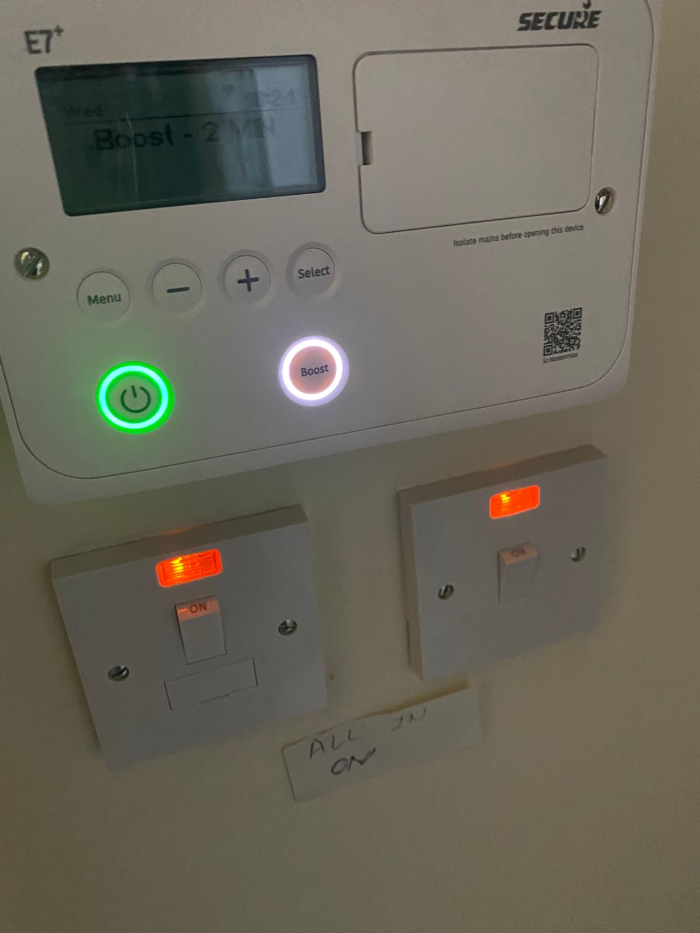
Please make sure the needed switcher is on before using any appliance
Please switch the electricity on and off when is not required
Boiler/heating
Each room has an electric heater.
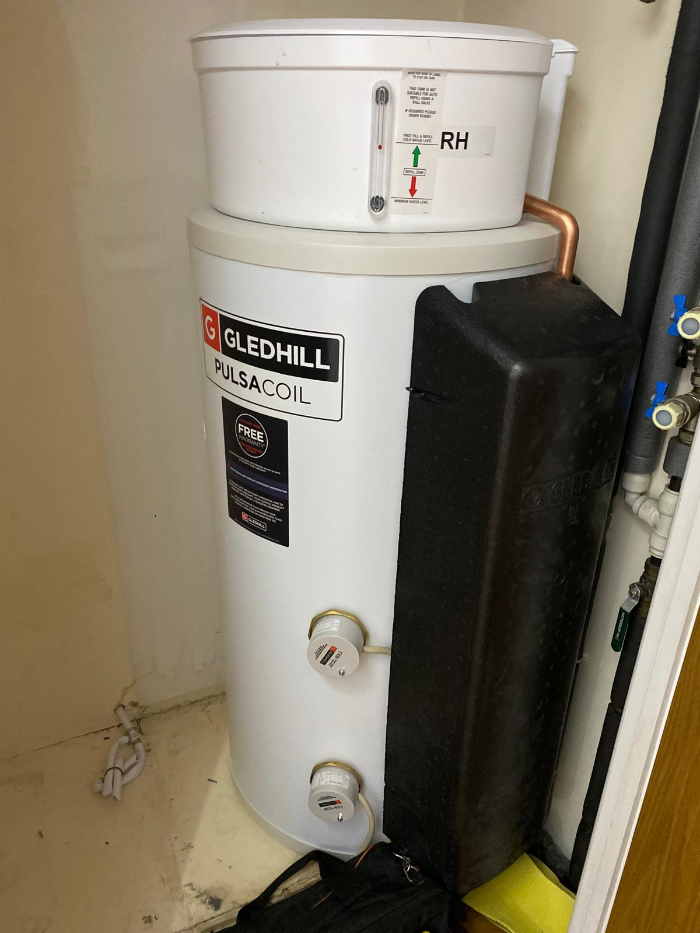
The hot water heater in the cupboard in a corridor.
Hot water is on by default,
please do not change any settings
Hot Water Switch needs to be requested to switch off and switch on
Energy Saving
Please use electricity/energy in a responsible manner.
1) Switch off the lights in bathrooms/Kitchen if not needed
2) Close the Windows/Balcony doors when heaters are turned on.
Oven

Kettle

Wifi Box:

HotWater Switch (All Switches should be on)
Hot Water Tank
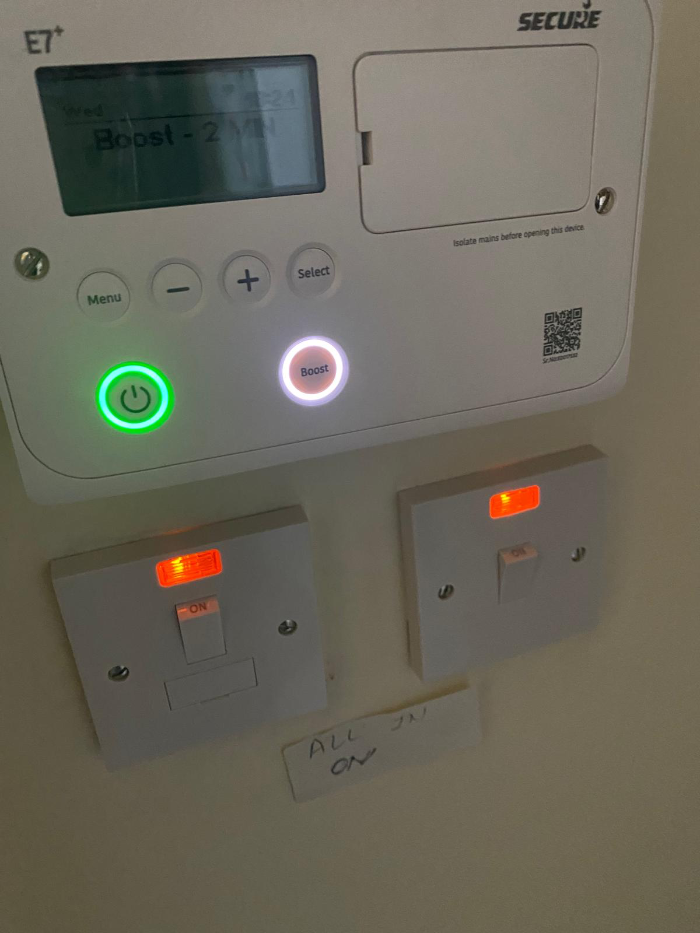
Hot Water Boost:
If your hot water is over you can boost hot water by switching the Boost button. Following are image and video instructions
Parking
Please use the Big Fob to enter into the gate once you have got the keys from the lockbox.
Press the Fob Key to open the gate and Park at Parking Bay 8
Once you have parked in the bay you need to press the exist button (beside Green Socket ) beside the Big Sliding Entrance gate
Please follow the pics to understand more about the parking.


Exit Button

Parking Bay 8

Parking View
